Embroidery digitising software, in your browser
Turn artwork into stitches. Nothing to install.
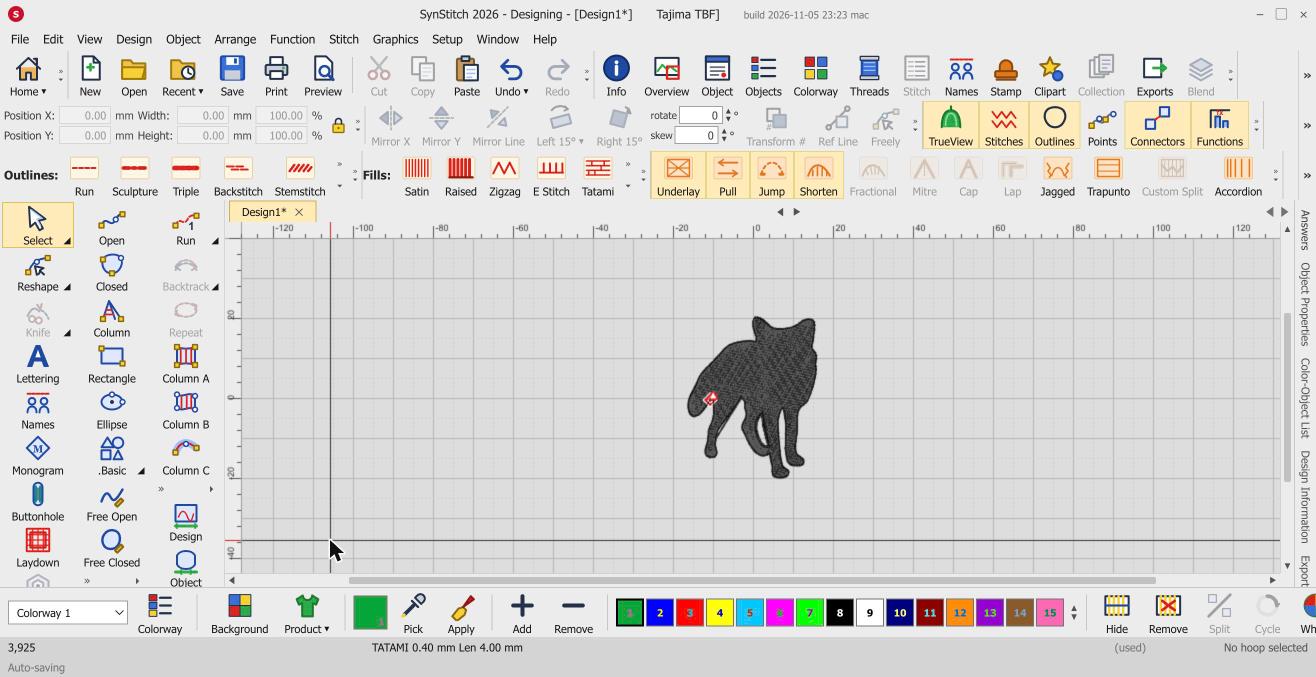
SynStitch is a full embroidery studio that opens like a web page. Digitise a logo, add lettering, edit every stitch and save the file your machine reads. Try it free for 7 days, with no card.
- 0
- programs to install
- 8
- machine file formats
- 3,447
- thread colours in 13 charts
From picture to machine file in three steps
Bring your artwork
Open a logo, a drawing or a photo, start from the built-in clipart, or open a stitch file you already have.
Turn it into stitches
Digitise it automatically or draw each shape yourself, then set the fill, outline, underlay and pull compensation.
Export for your machine
Check it in the sewn-out preview, pick your hoop, and save the file your embroidery machine reads.
A complete studio, not a one-click converter
Automatic conversion gets you started. The tools below are what make a design sew well.
Digitise
Convert artwork to stitches automatically, turn a photo into a stitched picture, or trace shapes by hand with run, satin and tatami fills.
Edit every stitch
Reshape objects, change stitch angles and density, and move single stitches. Nothing is locked after the first conversion.
Lettering and names
48 built-in embroidery fonts, monograms and team name lists. You can add fonts from your own computer as well.
Real thread colours
13 thread charts with 3,447 colours, including Isacord, Sulky, Robison-Anton and Hemingworth, plus colourways for one design.
See it before you sew
A sewn-out preview shows the design as thread, on a garment and inside the hoop you plan to use.
Clipart, motifs and sequins
A library of ready-made shapes, borders and ornaments, repeating motif stitches, and sequin tools.
Saves the file your machine reads
SynStitch opens and saves all eight of these formats.
| File type | Used by |
|---|---|
| .DST | Tajima and most commercial machines |
| .PES | Brother and Baby Lock |
| .PEC | Brother |
| .JEF | Janome |
| .EXP | Melco and Bernina |
| .VP3 | Husqvarna Viking and Pfaff |
| .U01 | Barudan |
| .XXX | Singer |
Your designs stay on your computer
Your files stay with you
Artwork and designs are handled inside your own browser and are never uploaded to us.
A small account
We keep your name, a confirmed email address and a scrambled password. Nothing else, and no card for the trial.
No tracking
No advertising, no analytics and no tracking cookies.
Pricing
Free trial
7 days
Full use of the studio. No card needed, and nothing is charged when it ends.
Start your 7-day free trialAfter the trial
Contact us
Tell us how you work and we will give you a price. Your account is switched back on as soon as we agree.
Email us for pricingor call +27 74 707 8755What to know before you start
- Built for a computer with a mouse or trackpad. It is not designed for phones.
- Automatic digitising gives you a starting point. Fine detail and small text usually need a tidy-up by hand.
- Always sew a test piece on your own fabric before a production run.
- Your work is saved in your browser. Save a copy to your computer so clearing browser data cannot lose it.
Questions
What does SynStitch cost?
It is free for 7 days with full use of the studio and no card. To keep using it after that, contact us for pricing.
Do I need to install anything?
No. SynStitch runs in a modern web browser on your computer, so there is nothing to download. Open the page and start.
Which embroidery machines does it work with?
It saves DST, PES, PEC, JEF, EXP, VP3, U01 and XXX files, which covers Tajima, Brother, Baby Lock, Janome, Melco, Bernina, Husqvarna Viking, Pfaff, Barudan and Singer machines. It opens the same eight formats.
Where are my designs kept?
In your own browser, on your device. They are not sent to our servers, so signing in on another computer does not bring them along. Save designs to your computer to back them up or move them.
Can I edit a design after it has been digitised automatically?
Yes. Every object stays editable: reshape it, change the stitch type, angle and density, or adjust single stitches.
Can I use my own fonts?
Yes. Add TTF or OTF fonts from your computer alongside the 48 built-in ones.
Start your first design now
No download and no card. 7 days free.
Start your 7-day free trial